Collections
Giving campaign content a home. An organizational layer that connects internal curation, external sharing, and division-level access control.
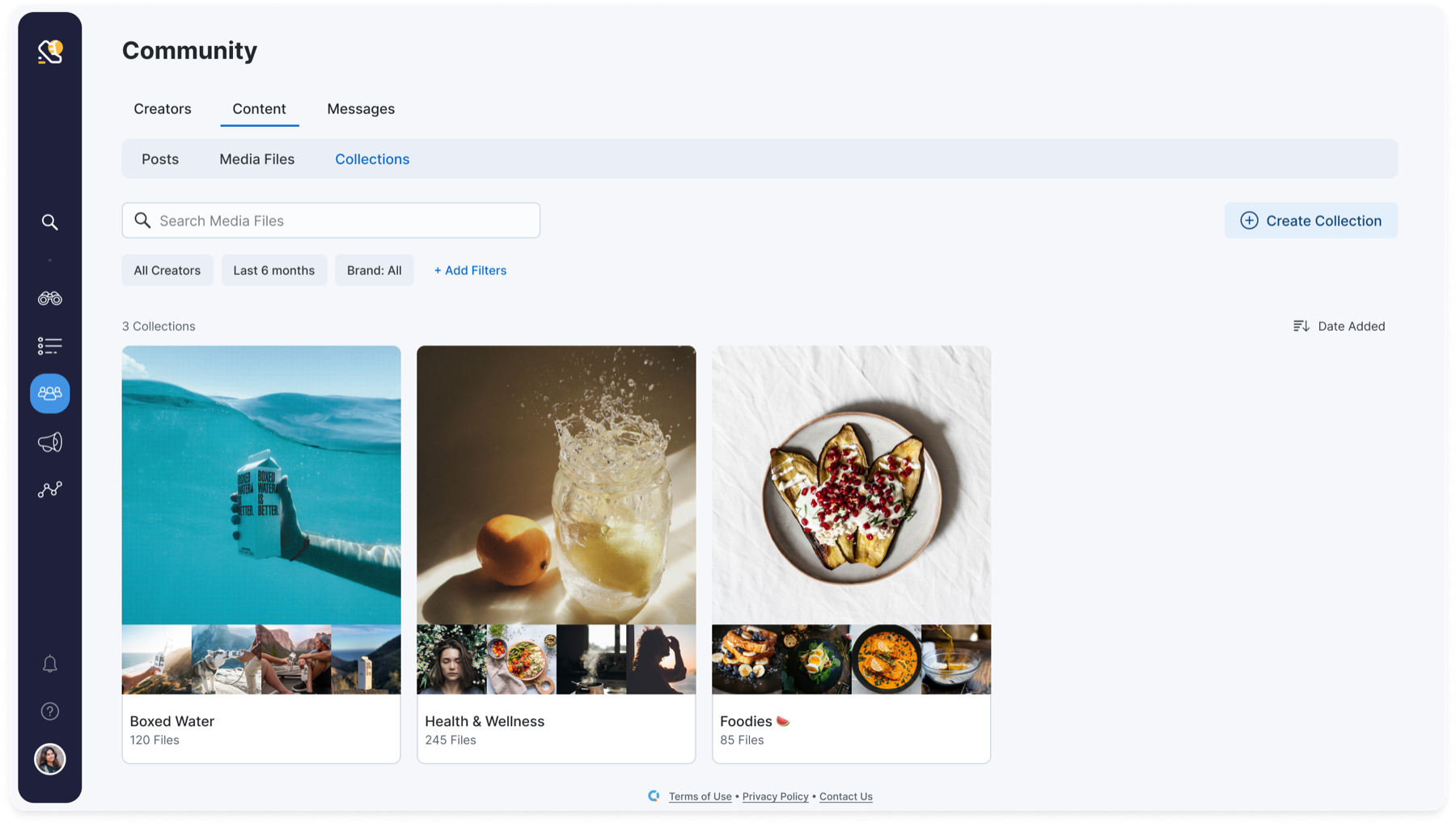
Collections tab inside a campaign with grouped posts and media files.
What I Shipped
Two JTBD stories drove the design. Each became a distinct part of the feature, sharing the same data model and UI patterns.
Creating & Curating Collections
Two entry points: a "Create New Collection" button (top-down) and a bookmark icon on any content (bottom-up). Both open the same modal. Bulk actions follow the same pattern. Posts and media files live together in a single collection.
Sharing & Publishing Externally
Collections become the shareable artifact. "Show me the June launch content" is a link, not a spreadsheet. Publishing model adapted from CreatorIQ's existing Lists feature — same interaction, new context. External users see curated content without internal metadata.
The anchor decision
Collections live inside campaigns, not as a standalone feature. A standalone content library would have been easier to build but would have disconnected content from its campaign context. Every collection inherits the campaign it belongs to, so groupings always carry the right context.
The Hard Part: Permissions
Collections cut across CreatorIQ's division-based access model. A collection in one division might contain content relevant to another. Sharing cross-division means granting access to files the recipient couldn't see before.
Always show Collections
Even if some content inside is hidden, every user can see the Collection exists. This avoids a fragmented experience where users don't know what they're missing.
Show scope, restrict access
Users always see what exists in a collection. Restricted files show a placeholder — never silently hidden.
Role-based visibility
Brand admins and cross-division leads see full Collections. Individual division users see their subset. RBAC controls what's visible, not what exists.
Cross-division sharing
When sharing a Collection cross-division, the recipient gains access to the Collection and all files within it. Those shared files then appear in their Media Library view, even outside the Collection. Sharing means sharing — we chose clarity over restriction.
Context
CreatorIQ had no way to group content within a campaign. Every asset floated independently across two tabs (Posts and Media Library). A campaign manager with 200 pieces of content had to mentally track which assets belonged together. When a client asked "show me everything for the June launch," the answer was a manual export.
Collections was also a prerequisite for the content approval system planned for later that year. Without an organizational layer, content approval would have had no structure to approve against.
Client feedback confirmed the gap. The Coca-Cola Company, Beam Organics, and Hy-Vee all requested the ability to organize and share content within campaigns.
Want to see the designs?
The Figma files, permission matrix, and publishing flow are better walked through than described. Let's talk.
Book a call