Gifting & Seeding
Bringing a standalone gifting tool into CreatorIQ's core product — one connected system for sending, tracking, and receiving product gifts across campaigns.
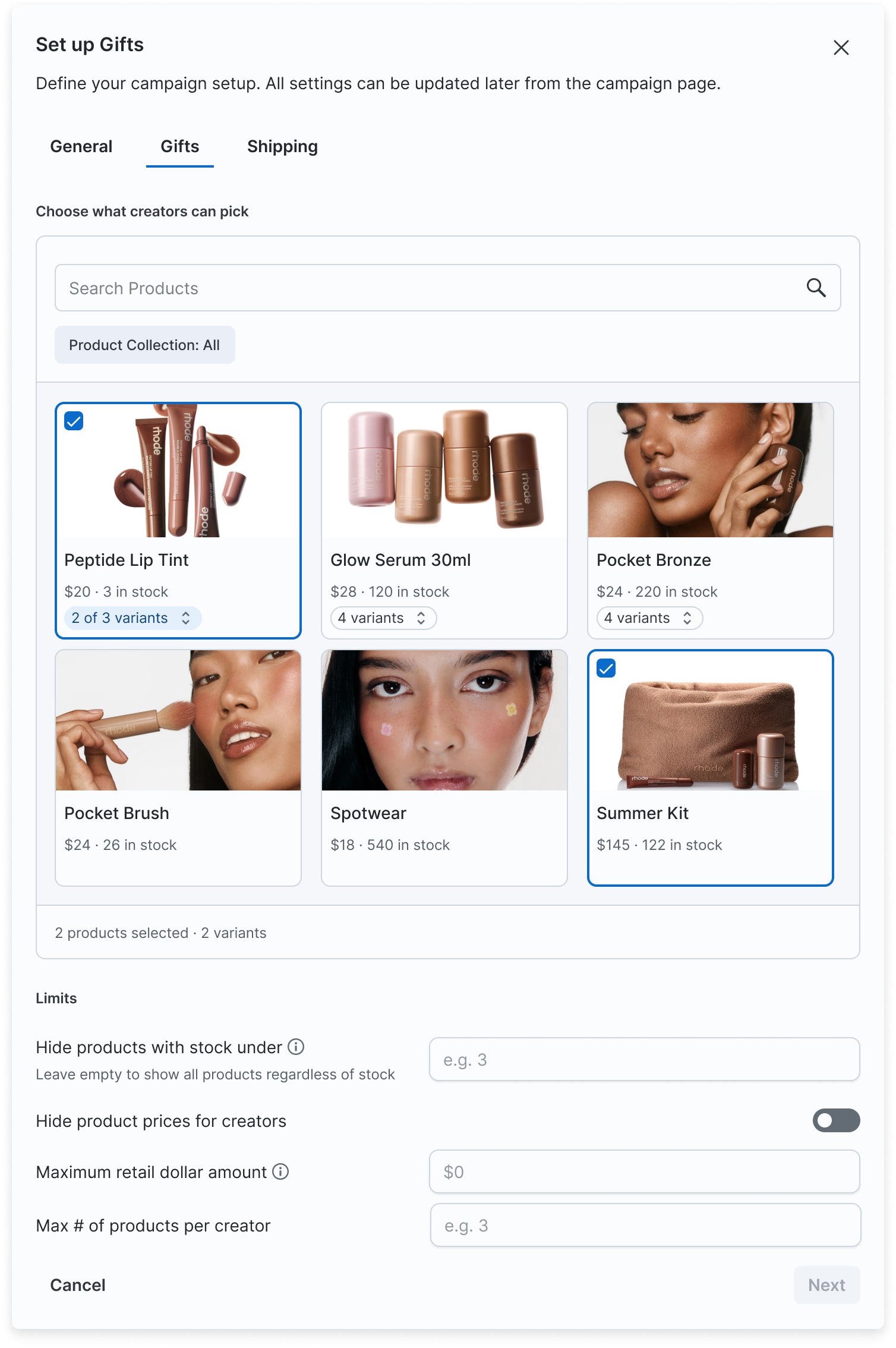
The Set up Gifts modal — the creator product picker with per-variant selection, inventory limits, and price controls.
What I Shipped
Gifting touches two very different audiences on two very different surfaces. Each became its own track, sharing the same Shopify connection and order data underneath.
Admin: Setting Up & Managing Gifting
A three-step Create Gifting Campaign stepper (General, Gifts, Shipping), a Gifting Settings hub with expandable rows and gated states depending on Shopify connection status, a gifting toggle folded into the existing campaign creation modal, and an orders monitoring view so managers can track fulfillment without leaving CIQ.
Creator: Selecting & Receiving Gifts
A mobile-first flow: a product grid scoped to the campaign, a variant bottom sheet for size and color, a basket tray, a shipping address step, a review/submit screen, and success and error outcome states for when an order can't go through.
The anchor decision
Gifting ran as a standalone tool, disconnected from the campaigns managers actually worked in — every gift meant leaving the platform of record and losing its context. The strategic bet: stop maintaining a bolt-on and rebuild gifting as a native feature — same permissions, same Shopify connection, same place managers already run everything else. That call set the constraints for every screen that followed.
Explore the Work
The flow, the designs, and a live prototype — walk through them here.
The flow (FigJam)
The legacy standalone Creator Gift flow mapped against the new native CIQ build, side by side — annotated to trace how order and status data moves through each, and where the migration had to reconcile the two models.
Gifting & Seeding user flows — standalone vs. native CIQ.
The designs (Figma)
The stepper, the settings hub, and the creator-facing mobile flow.
Gifting & Seeding designs in Figma.
Live prototype
Interactive — try it directly in the page.
Interactive prototype — click through General → Gifts → Shipping. Reflects the latest Figma designs, shown in CreatorIQ's product styling.
The Hard Part: One Status Model, Two Audiences
Every gift order flows through Shopify for inventory and fulfillment, but Shopify's status taxonomy wasn't built to be read by a brand manager or a creator waiting on a package. It needed translating, twice — once for each audience.
Collapse, don't expose
Creators see a small set of plain-language states — ordered, shipped, delivered, issue — never Shopify's raw internal terms.
Admins keep the detail
The manager-facing orders view retains more granularity, since troubleshooting a stuck order requires more than a friendly label.
Errors point somewhere
An error state always pairs with a next step, not just a status — a failed order should tell you what to do about it.
Documenting the mapping
I built a Shopify status glossary as a shared reference — mapping every raw Shopify order state to what it should mean on each surface. It became the source of truth PMs and engineers checked against instead of re-litigating status logic per screen.
Trade-offs & Scope Cuts
Four decisions, confirmed with PM, shaped the scope more than any single screen:
Basket tied to the creator's CIQ account
Not to a single campaign. A returning creator doesn't rebuild their basket, and identity stays consistent across every campaign they're gifted in.
Shipping address prefilled after first entry
Removes a repeat-order step without adding a separate address book to design and maintain.
Gift start date removed
Cut from the Settings model — a scoping decision that simplified the hub without losing anything managers actually used.
Orders Limit dropped
The backend couldn't guarantee it would enforce consistently. Better to ship without the setting than ship one that silently didn't work.
Context
Gifting and seeding — sending creators free product in exchange for content — is central to how brands run influencer programs. At CreatorIQ it lived entirely off-platform: a separate, standalone "Creator Gift" tool with its own login and its own data, disconnected from the campaign it belonged to. Every gifting workflow meant leaving the platform of record and rebuilding context CIQ already had.
The direction was set: bring gifting in-house and sunset the standalone tool. I owned the design of how — mapping two fragmented workflows onto one native CIQ experience so gifting behaves like every other feature on the platform, built on the same permissions, the same Shopify connection, and the same mental model managers already trust.
What's Next
The system is designed and the migration is mid-flight. Three things I'm tracking as it ships:
Phased rollout
Admin setup ships first, then the creator-facing flow — managers can stand up gifting campaigns before creators ever land on the gifting page.
The risk I'm watching
The status model. The whole experience rests on collapsing Shopify's taxonomy correctly for two audiences; a wrong mapping shows a creator or a manager the wrong state. The glossary is the guardrail — and it gets validated against real orders, not mocks.
How we'll know it worked
Gifting run entirely inside CIQ — no one falling back to the standalone tool — and fewer status-related support tickets than the old flow generated. Those are the signals I'm holding the design to, not screen count.
Want to see the designs?
The Figma flows, the Shopify status glossary, and the creator-facing prototypes are better walked through than described. Let's talk.
Book a call